
As an Amazon Associate I earn from qualifying purchases.
Once your prints, slides, and phone photos are scanned and sorted, they need a home that isn’t one laptop or one loose external drive. A 2-bay NAS (network-attached storage) is a small box on your home network that keeps the whole family library in one place, where every computer and phone in the house can reach it. This roundup compares three diskless 2-bay units that were in stock the day this was written, plus one NAS-rated drive to fill them.
There are no prices on this page, so check the live Amazon listing on the day you buy. One warning before anything else: a NAS is not a backup by itself. It is one copy in one place. Keep it as part of a 3-2-1 photo backup plan, with a second copy on other media and one copy off-site.
Quick kit
- Synology DS223j: the easiest first NAS, with private cloud access and automated backups for Macs, PCs, and phones.
- UGREEN DH2300: a beginner unit built around phone backup and an AI photo album.
- UGREEN DXP2800: the step-up, with an Intel N100, 8GB DDR5, 2.5GbE, and two M.2 slots.
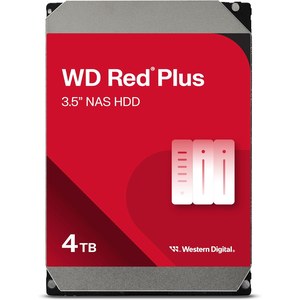
- WD Red Plus 4TB (WD40EFPX): a CMR NAS drive. Buy two for a mirrored pair.
Before you buy: drives are extra
All three NAS units here are diskless. The box arrives empty, and you add the hard drives yourself. For a family photo library, the usual setup is two matching drives in a mirror (RAID 1), so every file is written to both. If one drive fails, the other still has your photos while you replace it.
A mirror protects you from one drive dying. It does not protect you from deleting a folder by mistake, ransomware, a power surge, theft, or a house fire, because both drives sit in the same box. That is why the NAS is one leg of 3-2-1, not the whole plan. Before you order drives, check the NAS maker’s drive compatibility list for your exact model. We don’t promise that any drive works in any unit.
If you’d rather start with a simple plug-in copy, our external hard drive guide for photo storage covers portable drives. Many families use both: the NAS at home, and an external drive as the second copy.
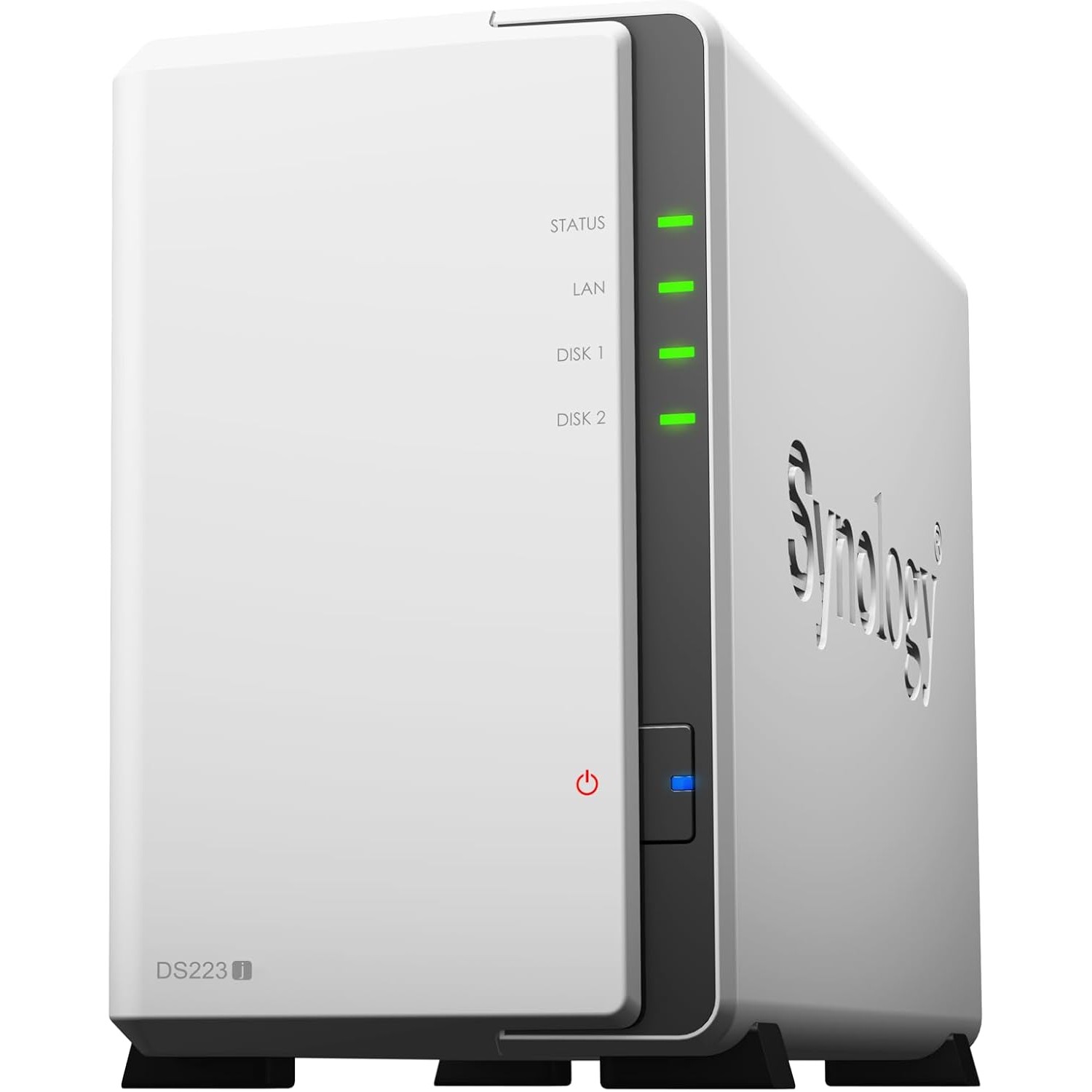
Synology DS223j
Live listing title: Synology 2-Bay DiskStation DS223j (Diskless).
The Synology DS223j (B0C8814GKB) is the pick if you want the gentlest start. The listing describes a secure private cloud with access from anywhere, file sharing and syncing, and set-and-forget automated backups for Macs, PCs, and mobile devices to several destinations, including cloud and external drives. That last point matters for 3-2-1, because the NAS itself can push a copy out to a second place. Synology backs it with a 2-year warranty.
Choose the DS223j if the goal is one shared family photo folder, automatic phone and computer backups, and as little tinkering as possible.
UGREEN DH2300
Live listing title: UGREEN NAS DH2300 2-Bay for Beginners & Personal Users, Phone Backup.
The UGREEN DH2300 (B0FNWHSPXF) is built for people moving off cloud storage or a pile of external drives. The listing calls out phone backup, 4GB of RAM onboard, a 1GbE port, and an AI photo album that tags faces, places, text, and objects so you can search for who or what is in a photo. It can also find similar or duplicate photos, which helps after a big scanning project. UGREEN is clear about its limits: it is an entry-level unit, Wi-Fi needs an external USB adapter (wired Ethernet is recommended), and it doesn’t run Docker or virtual machines.
Choose the DH2300 if phones are where most new family photos come from and you want search-by-face without setting up extra apps.
UGREEN DXP2800
Live listing title: UGREEN NAS DXP2800 2-Bay for Advanced Home Users, Remote Workers & Creators.
The UGREEN DXP2800 (B0D22HBFK1) is the step-up. The listing lists an Intel N100 quad-core CPU, 8GB of DDR5 RAM, 2.5GbE networking, and two M.2 NVMe slots alongside the two drive bays. It also runs Docker, virtual machines, and Plex-compatible media servers, and it includes AI photo management for people, objects, scenes, and locations. It is diskless too, with a 2-year warranty.
Choose the DXP2800 if you scan at high resolution, keep RAW files or home video, or want room to grow beyond basic photo storage.
WD Red Plus 4TB (WD40EFPX)
Live listing title: Western Digital 4TB WD Red Plus NAS Internal Hard Drive HDD – 5400 RPM, SATA 6 Gb/s, CMR, 256 MB Cache, 3.5″ -WD40EFPX.
The WD Red Plus 4TB (B0BDXSK2K7) is a 3.5-inch CMR NAS drive at 5400 RPM with a 256 MB cache. The listing says it is built for NAS systems running around the clock, uses WD’s NASware firmware, and carries a 3-year limited warranty. Buy two for a mirror. Two 4TB drives in RAID 1 give you about 4TB of usable space, not 8TB. On the day we checked, this listing was sold by a third-party seller with limited stock, so look at the seller and the compatibility list before you order.
Which one should you pick?
For most families, the Synology DS223j is the simplest place to start: shared folders, automatic backups, and a way to send a copy off the box. If your photos mostly come from phones and you want face search built in, pick the UGREEN DH2300. If you work with large scans, RAW files, or video, the DXP2800 has the most headroom. Whichever you choose, fill it with two matching drives from the maker’s compatibility list, set up the mirror, and keep a second copy somewhere else.
Frequently asked questions
Do these NAS units come with hard drives?
No. The Synology DS223j, UGREEN DH2300, and UGREEN DXP2800 are all diskless. You buy the drives separately, usually two matching NAS drives.
Is a NAS with RAID 1 a backup?
No. A mirror protects you if one drive fails, but deletions, ransomware, theft, or a fire can still take both copies. Pair the NAS with a second copy on other media and one copy off-site.
How do I know which drives will work?
Check the NAS maker’s drive compatibility list for your exact model before you buy. The WD Red Plus is a CMR NAS drive, but confirm it is listed for your unit.
Which of these is best for phone photo backup?
The UGREEN DH2300 is built around phone backup and an AI photo album. The Synology DS223j also offers automated backups for phones, Macs, and PCs.
Leave a Reply