
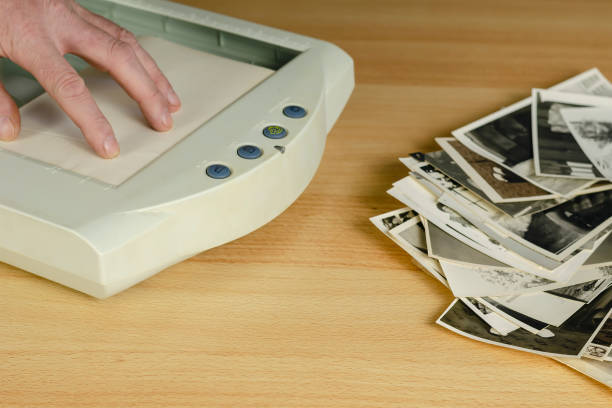
Not everyone needs a $500 scanner. If you’re working through a modest collection of old photos — a few hundred prints, maybe a few dozen — a budget scanner under $200 will handle the job without draining your wallet. This guide covers the best photo scanners under $200 in 2026.
What $200 Gets You
At this price point, you’re looking at either:
- Compact sheet-feed scanners — Fast for batches, but no preview screen and limited to standard-sized prints
- Entry-level flatbeds — Slower but versatile, handles photos, documents, and sometimes negatives
- Dedicated photo scanners — Middle ground: designed for photos but limited to small batches
None of these will match the quality of the best photo scanners like the Epson FastFoto FF-680W. But for occasional home use, they’re more than sufficient.
The Best Photo Scanners Under $200
Canon CanoScan LIDE 300 — Best Overall Under $100
Canon CanoScan LIDE 300 is the best entry-level flatbed scanner available. No fancy features, no touchscreen, no wireless — just a competent 2400 DPI scanner that produces solid results at a rock-bottom price.
Why it works: Simple, reliable, good quality for prints up to 8.5×11.7 inches. Powered by USB alone — no power brick. Canon ScanToolBox software is surprisingly capable for a free bundle.
Not ideal for: Negatives or slides (no backlight unit). Batch scanning (no automatic document feeder). High-volume workflows.
Price: ~$80
Epson Perfection V39 — Best Budget Flatbed
Epson Perfection V39 II is a step up from the LIDE 300 in resolution (4800 DPI) and software features, while staying under $100.
Why it works: High resolution for enlargements. Digital ICE removes dust and scratches automatically. Upright scanning (stands on edge) saves desk space. Easy to use.
Not ideal for: Batch work. No auto document feeder. No film scanning capability.
Price: ~$90
Epson FastFoto FF-680W — The One That Stands Out
Normally $500+, the Epson FastFoto FF-680W occasionally drops to $280-320 during sales. If your budget stretches and you have more than 200 photos, it’s worth waiting for a sale price.
Why it stands out: 36 photos per minute. Auto-feeder holds 100 photos. One-touch scanning. This is the scanner the FastFoto is — the one worth saving up for.
Not ideal for: Budget-only shoppers. Negatives/slides (it does photos only).
Plustek ePhoto Z300 — Best for Photos Only
Plustek ePhoto Z300 is a dedicated photo scanner that auto-feeds prints and handles them one at a time at up to 300 DPI.
Why it works: Dead simple operation — insert photo, press button, done. Fast enough for batches of 50-100 photos. Good image quality for sharing and social media.
Not ideal for: Archival-quality scans (300 DPI max, not 600+). Documents or other materials.
Price: ~$130
Doxie Flip — Best Portability
Doxie Flip is a compact, battery-powered scanner with a flip-down scanning surface for photos.
Why it works: Portable, battery-powered, no computer required (saves to SD card). The flip mechanism is genuinely clever — place photo on the glass side, scan from the back.
Not ideal for: Batch scanning (one photo at a time). High resolution needs.
Price: ~$130
Brother DS-640 — Best Compact Document/Photo Scanner
Brother DS-640 is a portable document scanner that doubles as a decent photo scanner for smaller prints.
Why it works: Tiny, USB-powered, scans up to 16 ppm. Great if you need to scan both documents and photos interchangeably. At 300 DPI, photos look good for sharing.
Not ideal for: Large photos (letter-size max). High-quality photo enlargements.
Price: ~$120
What to Look for Under $200
- DPI — 300 DPI minimum for prints. 600 DPI if you want enlargements. Anything over 600 is overkill at this price point.
- Auto Document Feeder (ADF) — If you have more than 20 photos, an ADF saves enormous time. Without it, you’re manually feeding each photo.
- Software — Scanner software quality varies enormously. Canon and Epson bundles are decent. Third-party options like VueScan ($80) unlock capabilities the free software doesn’t offer.
- Connection — USB-powered scanners (no power brick) are more convenient. Wi-Fi is convenient but adds cost.
What to Skip at This Price
- Dedicated film scanners — Under $200, dedicated film scanners (for negatives and slides) are generally poor quality. The Epson Perfection V600 at $250+ is the minimum worth considering for film.
- High-volume scanners — Scanners claiming 20+ pages per minute under $150 are designed for documents, not photos. They’ll damage glossy photo prints.
- Film/slide adapters bundled with cheap scanners — The negative scanning attachments that come with budget flatbeds are usually useless. Don’t buy a scanner for its film capabilities unless film scanning is explicitly the product’s strength.
Scanning Tips for Budget Scanners
- Clean the glass — A dirty scanner glass creates spots and streaks. Wipe with a microfiber cloth before each session.
- Use the right DPI — 300 DPI for social sharing. 600 DPI for archival. 1200 DPI only if you’re making large prints. Higher DPI on cheap scanners just creates bloated file sizes.
- Skip the plastic sleeves — Running photos through a sheet feeder in plastic sleeves damages both the photos and the scanner.
- Batch scan to a folder first — Scan all photos as JPEGs to a folder, then sort and edit later. Don’t stop to edit during scanning — it’s slow and breaks your rhythm.
The Bottom Line
For most people on a budget: the Canon CanoScan LIDE 300 is the clear pick. $80, reliable, good quality, no fuss.
If you want something slightly more capable and don’t mind the step up: the Epson Perfection V39 II at ~$90 adds higher resolution and digital ICE for dust removal.
And if your collection is large (200+ photos) and you can stretch to $280-320 on a sale, the Epson FastFoto FF-680W is in a completely different league — and is covered in our full Best Photo Scanners guide.
This guide was last updated April 2026.
Leave a Reply