
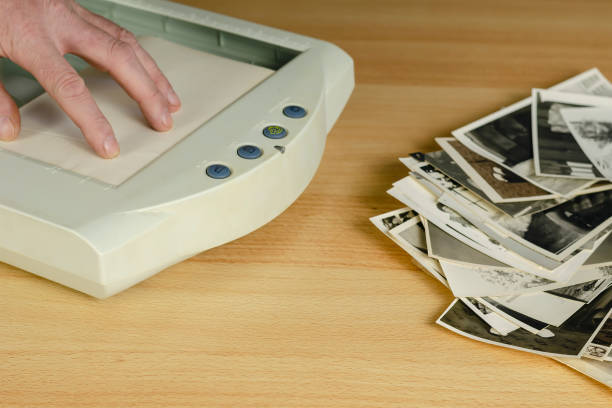
If you’re like most American families, there’s a box — maybe several — sitting in a closet, basement, or attic. Prints from the 70s, 80s, 90s. Birthday parties, holidays, random Tuesdays. They’re fading every year, and if they’ve been stored in any kind of humidity or heat, they’re already showing it. The good news? You can rescue them. A dedicated photo scanner is one of the fastest ways to digitize a lifetime of memories before they’re gone for good. Not sure which type you need? Start with our photo scanner comparison to find the right fit for your collection.
Why Photo Scanners Are Different From Regular Scanners
You might wonder: can’t I just use my office document scanner? The short answer is no — and here’s why. Document scanners are built for paper, not photographs. They use CIS (Contact Image Sensor) technology that presses right up against the surface, which works fine for flat documents but is terrible for photos. CIS sensors produce harsh, flat-looking scans with no depth. They’re also prone to Newton’s rings — those weird color distortion patterns that appear when the sensor sits too close to a glossy print.
Photo scanners use CCD (Charge-Coupled Device) sensors, the same technology found in DSLRs. CCD captures light from the entire surface area of your photo, giving you richer color depth, better dynamic range, and scans that actually look like your originals — not a flat photocopy of them. If you’re serious about preserving photos, CCD is non-negotiable.
What Actually Matters When Buying a Photo Scanner
Before we get into specific models, let’s cut through the marketing noise. Here’s what spec sheets actually mean for your photo archiving results:
Optical Resolution: This is the real number that matters. Skip the “interpolated” resolution — that’s fake, software-generated detail that doesn’t improve quality. For 4×6 prints you want to keep forever, 600 DPI is the minimum. For anything you might want to enlarge or crop, go 1200 DPI or higher. The Epson Perfection V600 at 6400 DPI is overkill for most people, but it’s better to have more resolution than you need than to be stuck with scans you can’t work with.
Film Scanning Capability: If you have slides or negatives, you need a scanner that handles them. Most flatbeds with film capability come with holders for 35mm film strips and sometimes medium format. The catch: not all film scanning is created equal. Backlit film scanning (transmissive) is what you want for negatives and slides. Some scanners cheat by scanning reflected light off the back of the film — you’ll get inferior results.
Software Quality:
Scanner hardware only gets you halfway there. The software does the heavy lifting for color correction, dust removal, and scratch elimination. Digital ICE (Image Correction and Enhancement) — found in Epson scanners — uses infrared scanning to detect physical damage and automatically reconstruct the missing image data. It’s not perfect, but it’s remarkable for batch processing old photos. Without it, you’re manually retouching every single scan.
Batch Scanning Speed: If you have hundreds of photos, speed matters. The Fujitsu ScanSnap series scans 40+ pages per minute, but it’s designed for documents. For photos, the Epson FastFoto FF-680W can handle a photo every second when batch scanning — a game changer if you’re working through a large collection.
The Best Photo Scanners for 2026
Best Overall: Epson FastFoto FF-680W
The Epson FastFoto FF-680W is the scanner most professionals recommend for home photo archiving, and for good reason. It handles photos from 4×6 up to 8.5×11 inches, scans both sides of double-sided prints, and includes automatic color correction, contrast enhancement, and red-eye reduction. The software is intuitive enough that you don’t need to be technically inclined — drop a stack of photos in the feeder and it processes them automatically.
The 300-page ADF (automatic document feeder) means you can load up a big batch and walk away while it works. Scan quality at 1200 DPI is excellent for prints, and the built-in Digital ICE handles dust and scratch removal without you lifting a finger. The main tradeoff: it doesn’t handle film negatives or slides. If your collection is purely photo prints, this is the one to get.
Price: ~$350-400 on Amazon
Best for: Large photo print collections (500+ photos), families working through generational archives
Best for Slides and Negatives: Epson Perfection V600 Photo
The Epson Perfection V600 Photo is the go-to scanner for anyone with film — and we mean anyone. It handles 35mm negatives, 35mm slides, and medium format film up to 6x22cm. The 6400 DPI optical resolution is genuinely high-resolution — you can scan a 35mm negative and produce a 20-megapixel image that you can enlarge to poster size.
Digital ICE for both film and prints is included, and the scanning software handles color restoration automatically. The V600 is a flatbed, so it’s slower than a feeder-based scanner, but the quality is exceptional and the versatility is unmatched at this price point. It also works as a document scanner, though the ADF-less design means you’re placing each page manually.
Price: ~$250-280 on Amazon
Best for: Slide and negative collections, mixed-format archives, serious photo hobbyists
Best Budget Photo Scanner: Canon CanoScan LIDE 300
If you’re just getting started and don’t want to spend $300+ on a scanner you might use once a year, the Canon CanoScan LIDE 300 is a surprisingly capable entry point. 2400 DPI optical resolution, Canon’s Z-Lamar scanning technology for better shadow detail, and a remarkably small footprint — it draws power over USB and doesn’t need an external power brick.
It’s not fast (about 20 seconds per scan) and it doesn’t have a feeder, so you’re placing each photo individually on the glass. No film scanning capability. But for the price — usually under $90 — the image quality is genuinely good for 4×6 and 5×7 prints. If you have a modest collection (under 200 photos) and want to do them right without a big investment, this is the one.
Price: ~$80-90 on Amazon
Best for: Small collections, tight budgets, occasional use
How Many Photos Can You Scan in a Day?
Realistic numbers: with the FastFoto and its feeder, you can scan 500-1,000 photos in a single session depending on how much prep work they need. With a flatbed like the V600 or CanoScan, plan on 20-30 photos per hour if you’re doing any kind of quality check. It’s meditative work, but slow.
Our Recommendation
For most families with significant photo collections to digitize, the Epson FastFoto FF-680W is the best investment. The feeder alone saves you hours of hands-on time, and the automatic software corrections mean your scans come out looking better than the originals. If your collection includes slides or film negatives, check our guide to the best slide scanners before buying a photo scanner. Otherwise, start with the Epson Perfection V600 instead. And if you just have a few dozen photos to preserve, you can’t go wrong with the Canon CanoScan LIDE 300.
Affiliate disclosure: This page contains affiliate links. We earn a commission at no extra cost to you when you make a purchase through our links.
Related Guides: Complete Guide to Digitizing Photos in 2026
📬 Get new guides in your inbox: Subscribe to the newsletter →
Leave a Reply