As an Amazon Associate, Digitize Your Life earns from qualifying purchases.
Somewhere in a closet there’s a shoebox of cassettes: mixtapes, answering machine tapes, a grandparent telling a story at the kitchen table. Tape doesn’t last forever, and the players to run it are getting harder to find. The good news is that turning those tapes into digital files is cheap and simple. The real choice is how much you want a computer involved, and how much the tapes matter.
We picked three converters at three levels, plus one alternate. They differ most in one way: whether they save files on their own or need a computer to do the recording.
Quick picks
- No computer needed: DIGITNOW BR607 USB Cassette Player
- Simple computer setup with included software: ION Tape Express Plus
- For music tapes that matter: Tascam 202MKVII double cassette deck
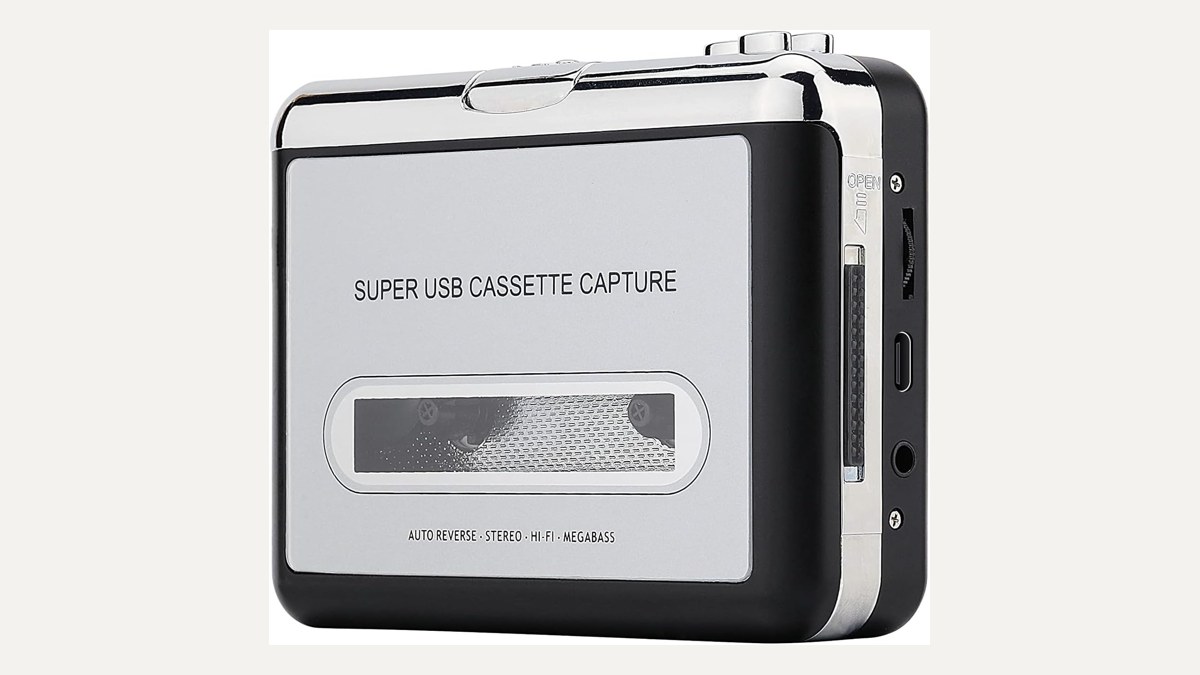
- Alternate, no computer needed: MYPIN USB Cassette to MP3 Converter
DIGITNOW BR607: records straight to a USB stick
This is the easiest way in. The DIGITNOW is a walkman-style player that records straight to a USB flash drive, so there’s no computer, no software, and no cables to sort out. According to the maker, it works with FAT32 drives up to 128GB, plays auto-reverse, can split tracks automatically or manually, and runs on USB power or two AA batteries. The listing gives the recording format as 32KHz / 128 Kbps, which is fine for voices but not studio grade. The flash drive and batteries aren’t included. The maker lists an 18-month warranty.
Buyer reviews are mixed on durability and background noise, which is normal for budget tape players. For family recordings and voice tapes, the DIGITNOW BR607 is a sensible, low-effort start.
ION Tape Express Plus: plugs into your computer
The ION is also a portable player, but it doesn’t save files by itself. It connects to your computer over USB and records with ION’s own EZ Vinyl/Tape Converter software. The maker says the software has a chrome/normal tape setting, and the player runs on mini-USB or two AA batteries and has a headphone jack.
If you don’t mind sitting at a computer while the tapes play, the ION Tape Express Plus gives you a guided process and lets you name and save files where you want them. Stock was very low when we checked, so look at the listing before you plan around it.
Tascam 202MKVII: a real dual deck for archiving
The Tascam is a full-size double cassette deck with a USB output for archiving. It doesn’t save files itself. You connect it to a computer and record with separate recording software that you supply. In return you get a proper deck. Tascam lists pitch control of plus or minus 12% on deck 1, Type I and II recording, Type IV playback only, and Dolby-B-equivalent noise reduction.
A walkman-style player is fine for voice and family tapes. For music collections or tapes you can’t replace, a deck is the better fit, in our view, and the Tascam 202MKVII is the step up. It costs well above the other picks, so it makes the most sense for a large or valuable collection.
Alternate: MYPIN USB Cassette to MP3 Converter
The MYPIN works like the DIGITNOW: it records to a USB flash drive with no computer. According to the maker, it supports FAT/FAT32 drives up to 128GB, auto-reverse, and 44.1/48kHz 16-bit recording. Stock was down to a single unit when we checked, which is why the MYPIN converter is our backup rather than a main pick.
Which one should you get?
If you want the fewest steps, get a no-PC player and a spare flash drive. If you want software that helps you organize as you record, the ION fits. If the tapes are music you care about, or there are a lot of them, the Tascam deck and some free recording software is the better path. Whichever you choose, play each tape once before you record it, clean the heads if the sound is muffled, and keep the originals until you’ve backed up the files.
Once your tapes are digital, back them up like your photos: one copy on a portable SSD and one on a home NAS. Have home movies too? See our VHS to digital converter guide and our 8mm film guide.
FAQ
Do I need a computer to convert cassettes to digital?
Not with a no-PC player like the DIGITNOW or MYPIN, which record to a USB flash drive. The ION and the Tascam both need a computer.
Does the Tascam 202MKVII come with recording software?
Plan to supply your own recording software. The deck sends audio over USB, and your computer does the recording.
Will a budget converter sound as good as the original tape?
Don’t count on it. Reviews of budget units are mixed on noise. They’re fine for voices, but a deck is the better choice for music.
What flash drive should I use?
The makers of both no-PC players specify FAT32-formatted drives up to 128GB. The drive isn’t included.
Should I keep the tapes after converting?
Yes, at least until your files are backed up in two places.
Leave a Reply