
As an Amazon Associate I earn from qualifying purchases.
Once a print is scanned, the file has a name and a date, but the print itself still sits in a box with no clue on the back. Write a short label on each print and sleeve, like a scan number, a year, or a name, and the original and the digital copy stay matched for good. This roundup compares three in-stock pens for that job: one for glossy print backs, one for paper sleeves and boxes, and one for album pages and captions.
Stock was checked the same day as this draft. There are no prices here, so check the live Amazon listing on the day you buy. For the full system of sorting and storing prints, start with our step-by-step guide to organizing old photos. This page is the pen shortlist that goes with that guide.
Quick kit
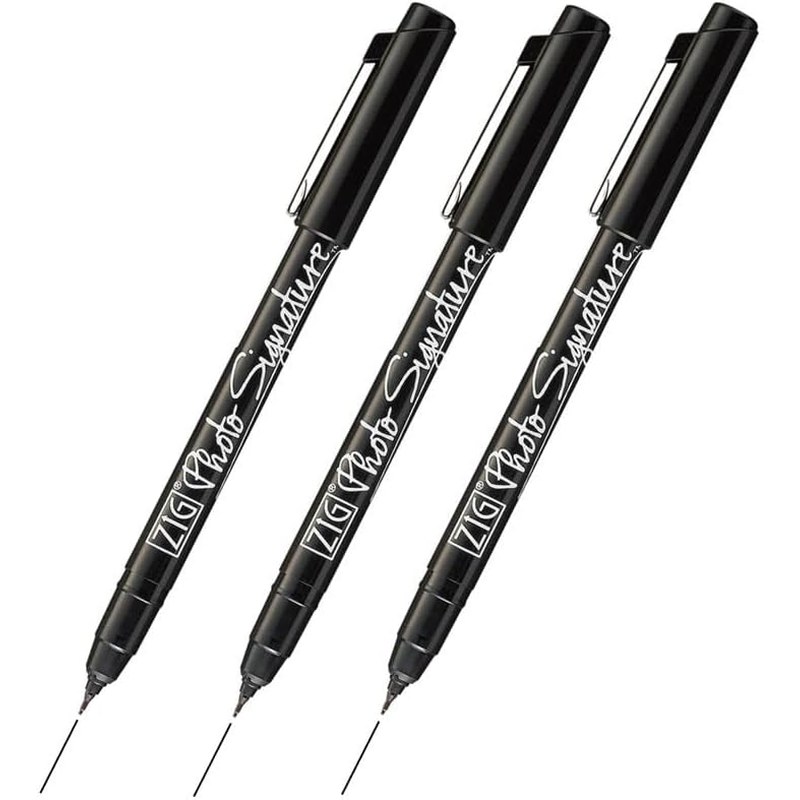
- Zig Kuretake Photo Signature: a 0.7mm alcohol-based marker for the backs of glossy and resin-coated prints.
- Sakura Pigma Micron 6-pack: archival pigment fineliners in six point sizes for paper sleeves, envelopes, boxes, and index cards.
- ZIG Memory System Writer: a dual-tip pigment marker for album pages, scrapbook captions, and sleeve labels.
Why the pen matters
A ballpoint pressed into the back of a print can emboss through and show on the image side. A regular marker can bleed, smear on glossy paper, or transfer onto the next print in the stack. The fix is simple. Use a pen made for the surface, write on the back near an edge, press lightly, and let the ink dry before you stack anything. Never write on the image side, and keep labels short: a scan number or file name, a year, and a name or place if you know it.
Match the label to your scan files. If the scan is called 1987-lake-trip-014, write that same code on the back of the print or on its sleeve. Years from now, anyone holding the print can find the digital copy, and anyone looking at the file can find the original.
Zig Kuretake Photo Signature
Live listing title: Zig Kuretake Photo Signature, Black, 0.7mm, 3 pcs set.
The Zig Kuretake Photo Signature 3-pack (B07W1H2HNL) is the pen for print backs that most pens can’t handle. The listing describes an alcohol-based dye ink that is quick drying, waterproof, photo-safe, permanent, acid free, and lightfast, with a 0.7mm fine tip. Kuretake says it is suitable for photos, photo greeting cards, and transparencies, and the pens are made in Japan.
Choose the Photo Signature for glossy and resin-coated print backs. Write small along the bottom edge of the back, then leave the print face down on a clean sheet until the ink is dry. The 3-pack lets you keep one at the scanning desk and one with your storage boxes.
Sakura Pigma Micron 6-Pack
Live listing title: Sakura Pigma Micron Fineliner Pens, Black, Assorted Points, 6 Pack.
The Sakura Pigma Micron 6-pack (B0008G8G8Y) is the pen for everything paper around your prints. The listing calls these archival pens with fade-resistant, waterproof, bleed-free marks, and says the pigment ink is pH neutral and quick drying. The set covers six point sizes, from 005 (0.20mm) up to 08 (0.50mm).
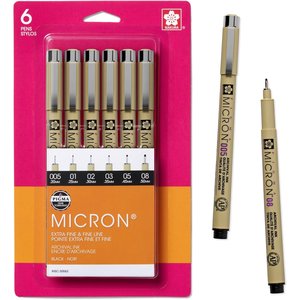
Choose the Micron set for paper sleeves, envelopes, archival box labels, and index cards, plus the backs of matte or fiber-paper prints. Use a fine point for small sleeve labels and a heavier point for box ends you read from across a room. The Micron is a paper pen, so don’t use it on glossy or resin-coated print backs; reach for the Photo Signature there.
ZIG Memory System Writer
Live listing title: ZIG Memory System Writer 010 Pure Black, dual tip 0.5mm and 1.2mm.
The ZIG Memory System Writer (B01DOG3Q3E) is built for albums and scrapbooks. The listing describes acid-free, archival-quality pigment ink that is photo-safe and lightfast, in an odorless, xylene-free, non-bleeding formula. One end has a 0.5mm fine tip and the other a 1.2mm bullet tip.
Choose the Memory System Writer when you are labeling album pages, writing captions next to mounted prints, or marking sleeve labels you want to stand out. Use the fine tip for names and dates and the bullet tip for page headers. Like the Micron, it is a pigment pen for paper surfaces, so keep the Photo Signature for glossy print backs.
Which one should you pick?
If most of your prints are glossy snapshots, start with the Zig Photo Signature, since it is the one pick here made for writing directly on photos. If you’re labeling the sleeves, envelopes, and boxes your prints live in, the Micron set covers every size you’ll need. If you keep your prints in albums or scrapbooks, add the Memory System Writer for captions. A practical desk setup is the Photo Signature and the Micron set side by side: one for the prints and one for the paper that holds them. Label as you scan, one print at a time, and your physical collection will stay as organized as your digital one.
Leave a Reply