As an Amazon Associate I earn from qualifying purchases.
Once your photos are on a memory card, the next job is getting them onto a computer. A good card reader makes that part quick and boring, which is exactly what you want. This roundup compares three USB card readers that were in stock and shipping from Amazon on the day this was written, plus one alternate for people who only use full-size SD cards.
There are no prices on this page, so check the live Amazon listing on the day you buy. Every speed below is the maker’s own “up to” figure, and we say whose claim it is each time. Real-world speed depends on your card, your computer and your cable. One more thing worth knowing up front: the top speeds on UHS-II readers only apply when you use UHS-II cards. An older UHS-I card will still work, just at its own pace.
If you are still setting up how you shoot your prints, our guide to copy stands for digitizing photos covers that step. This post picks up once the files are on the card.
Quick picks
- Best if you also have CompactFlash cards: Lexar Multi-Card 3-in-1 Reader (LRW500URBNA)
- Best for SD plus microSD with a detachable cable: UGREEN USB-C SD 4.0 UHS-II Card Reader
- Best compact option with a built-in cable: SABRENT USB-C Dual-Slot UHS-II Reader (CR-CSDM)
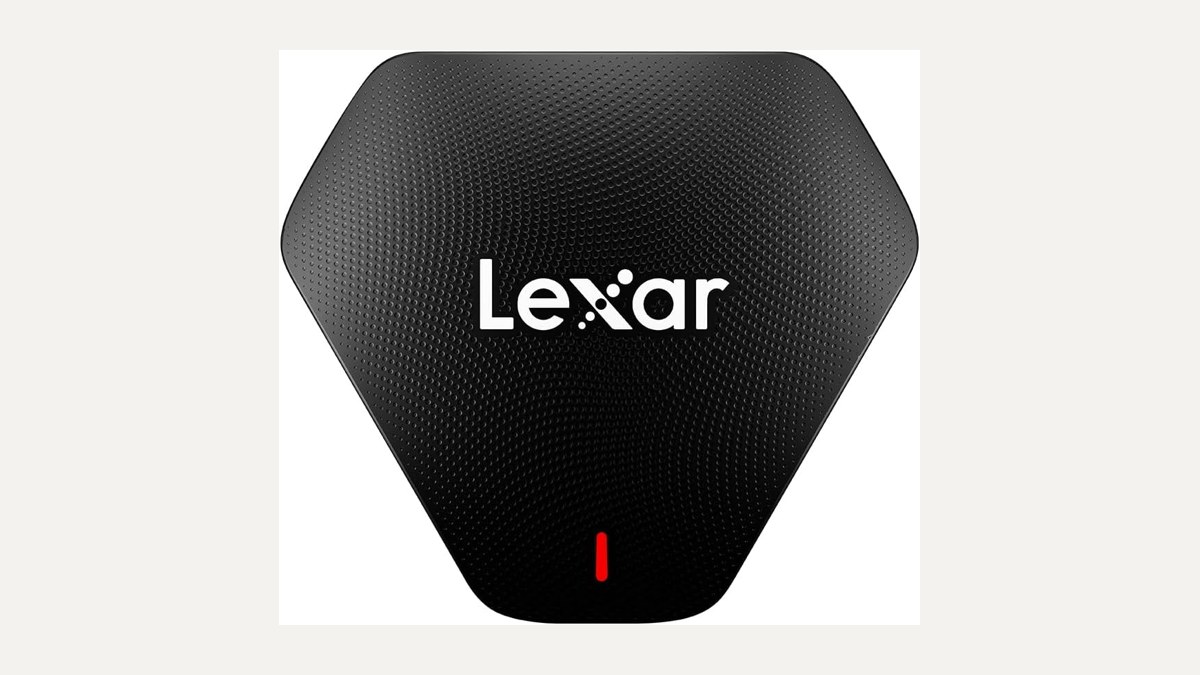
Lexar Multi-Card 3-in-1 Reader (LRW500URBNA)
This is the one to look at if your card drawer is a mix of old and new. Lexar says it reads SD, microSD and CompactFlash, so an older camera’s CF card and a newer SD card can go through the same reader. Lexar lists speeds of up to 312MB/s for SD and microSD and up to 160MB/s for CF, and says it is backwards compatible with UHS-I cards at up to 170MB/s.
Lexar says it works with both USB 3.1 and USB 2.0 ports, and the listing title says a USB-C/A cable is included, which helps if you move between an older desktop and a newer laptop. Lexar backs it with a two-year limited warranty. Of the three picks, this is the only one sold by Amazon.com itself. See the Lexar 3-in-1 reader on Amazon.
UGREEN USB-C SD 4.0 UHS-II Card Reader
UGREEN’s reader has one SD slot and one microSD (TF) slot. UGREEN says it supports SD 4.0 UHS-II at up to 312MB/s and can read and write two cards at once, which is handy if you shoot on a camera and also pull files off a phone or action camera card in the same session.
UGREEN says it is driver-free plug and play, and notes that Android phones need OTG support to use it. The listing describes an aluminum alloy case and a braided cable, and UGREEN offers a 24-month warranty. It is sold by UGREEN and fulfilled by Amazon. One small note: the Amazon page says there is a newer model of this item, so take a look at the listing before you buy in case the newer one suits you better. See the UGREEN SD 4.0 reader on Amazon.
SABRENT USB-C Dual-Slot UHS-II Reader (CR-CSDM)
The SABRENT is the simplest of the three to toss in a bag. SABRENT says it has an integrated 6-inch USB 3.2 Gen 1 Type-C cable, so there is no separate cable to lose, with up to 5Gbps to the host. It takes SD and microSD, and SABRENT lists UHS-II speeds of up to 312MBps, with simultaneous transfer through each slot.
SABRENT says it is plug and play and bus-powered, and works with Windows 8 or later and macOS 12 or later. A power LED shows when it is connected. The warranty is one year limited, or two years if you register it, according to SABRENT. It is sold by a third-party seller, Store4PC, and fulfilled by Amazon. See the SABRENT CR-CSDM on Amazon.
Alternate: ProGrade Digital PG08 Dual-Slot SD Reader
If you only use full-size SD cards and want to empty two at once, the ProGrade Digital PG08 is worth a look. ProGrade says it has two SD UHS-II slots on USB 3.2 Gen 2, with up to 1.25GB/s (10Gb/s) when reading from both cards at once. It is a magnetic reader that comes with an adhesive metal plate, it supports ProGrade’s Refresh Pro feature, and it carries a two-year warranty. The listing names SD and SDXC UHS-II slots only, so it does not appear to take microSD. It is sold by ProGrade Digital and fulfilled by Amazon. See the ProGrade PG08 on Amazon.
How to choose
Start with your cards. If you have any CompactFlash cards, the Lexar is the only pick here that reads them. If you use SD and microSD, all three main picks cover both. If you only use SD and want two at a time, the ProGrade alternate is built for that.
Next, think about your ports. The UGREEN and SABRENT both connect over USB-C. The Lexar comes with a USB-C/A cable according to its listing, which makes it the easy choice if you still use older USB-A ports.
Finally, remember where the files go next. A card reader is a doorway, not a home for your photos. Copy them to a portable SSD for photo offload, keep a second copy on a portable hard drive archive, and if you want a shared library for the whole family, see our 2-bay NAS for a family photo library. Only format the card once you have confirmed the files are safely copied.
FAQ
Do I need a UHS-II card to use these readers?
No. The makers describe these as UHS-II readers, and Lexar says its reader is backwards compatible with UHS-I. You only get the top “up to” speeds with UHS-II cards. Older cards work at their own speed.
Will I actually get 312MB/s?
That is the maker’s “up to” figure. Your real speed depends on the card, the computer, the port and the cable, so treat it as a ceiling rather than a promise.
Can I use one of these with my phone?
UGREEN says its reader works with Android phones that support OTG. For the others, check the listing for your device before you buy.
Which reader handles CompactFlash?
Of the picks here, only the Lexar 3-in-1. Lexar says it reads CF at up to 160MB/s.
Should I delete photos from the card after copying?
Only after you have checked the copies open on your computer, and ideally after you have a second backup. Our SSD, hard drive and NAS guides linked above walk through where to keep those copies.
Leave a Reply